 Appwriters
In this lesson we will learn about various ways to style our widgets. We will learn about colors, fonts, padding, margins, borders, and more.
Projects
1. Login Form
Build a page with ListView inside which there are two TextField widgets and an ElevatedButton. The text fields should be separated by 20 points of vertical space. The button should be separated by 40 points of vertical space. The button should be centered horizontally.
Note: Use a combination of
Container,Padding, andSizedBoxto achieve the desired layout.
2. Welcome Screen
Build the following welcome screen for a recipe application.
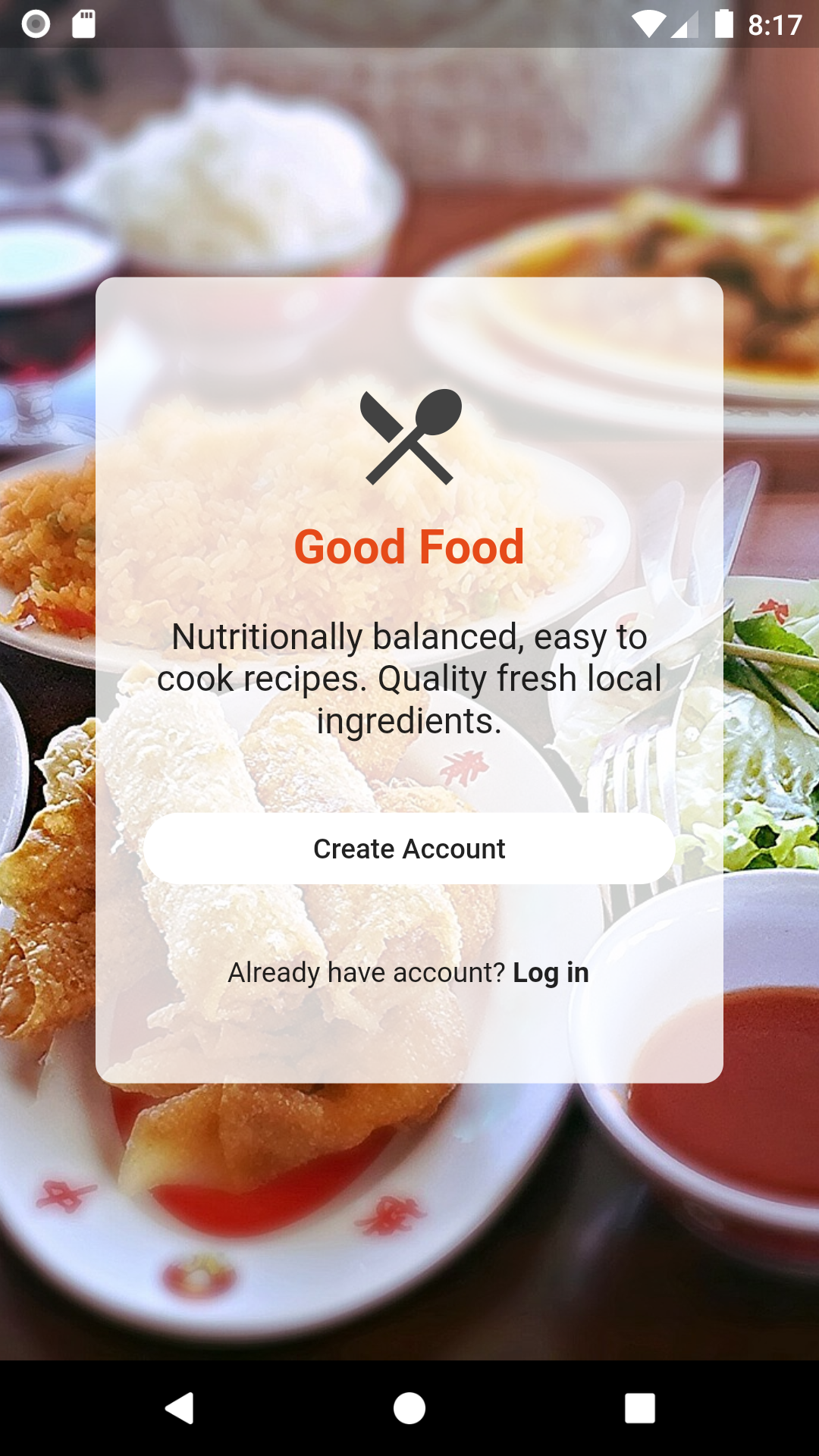
Note: Use a combination of
Stack,Container,ElevatedButton,Iconand more to achieve the desired layout.