Appwriters
Forms are the most commonly used method for gathering user input. Flutter gives you TextField for single inputs, and Form with TextFormField when you want to validate several fields together.
Projects
1. Login UI
Build a login UI with a username and password field and a Login button. When the user clicks the button, show a message that says “Welcome, [username]!” if the username is “admin” and the password is “1234”. Otherwise, show a message that says “Invalid username or password”.
Note: Use a TextField for the username and password fields. Use a TextEditingController to get the text from the fields. Remember to use StatefulWidget. Use SnackBar to show the message with
ScaffoldMessenger.of(context).showSnackBar(...)(the oldScaffold.of(context).showSnackBarno longer exists). Remember todispose()your controllers in thedisposemethod of yourState.
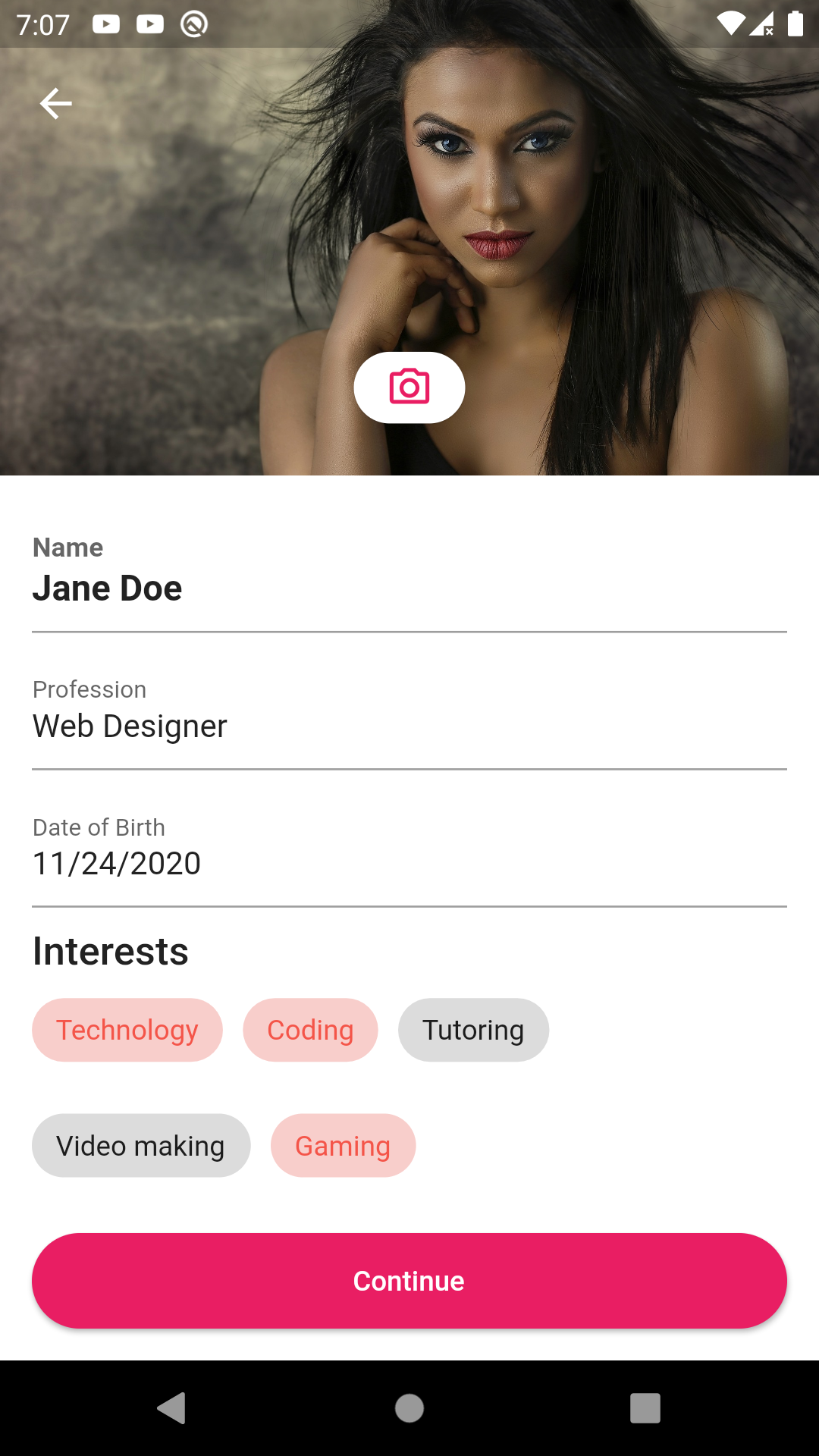
2. Profile Form
Build the following layout with form elements as shown in the image below.