 Appwriters
Flutter JNIgen in practice: replacing platform channels in an Android launcher
A while ago we wrote Let’s build an Android launcher application with Flutter. That post used a plugin and a MethodChannel to list apps and launch them, which is how most Flutter code talks to Android. This post picks up from there.
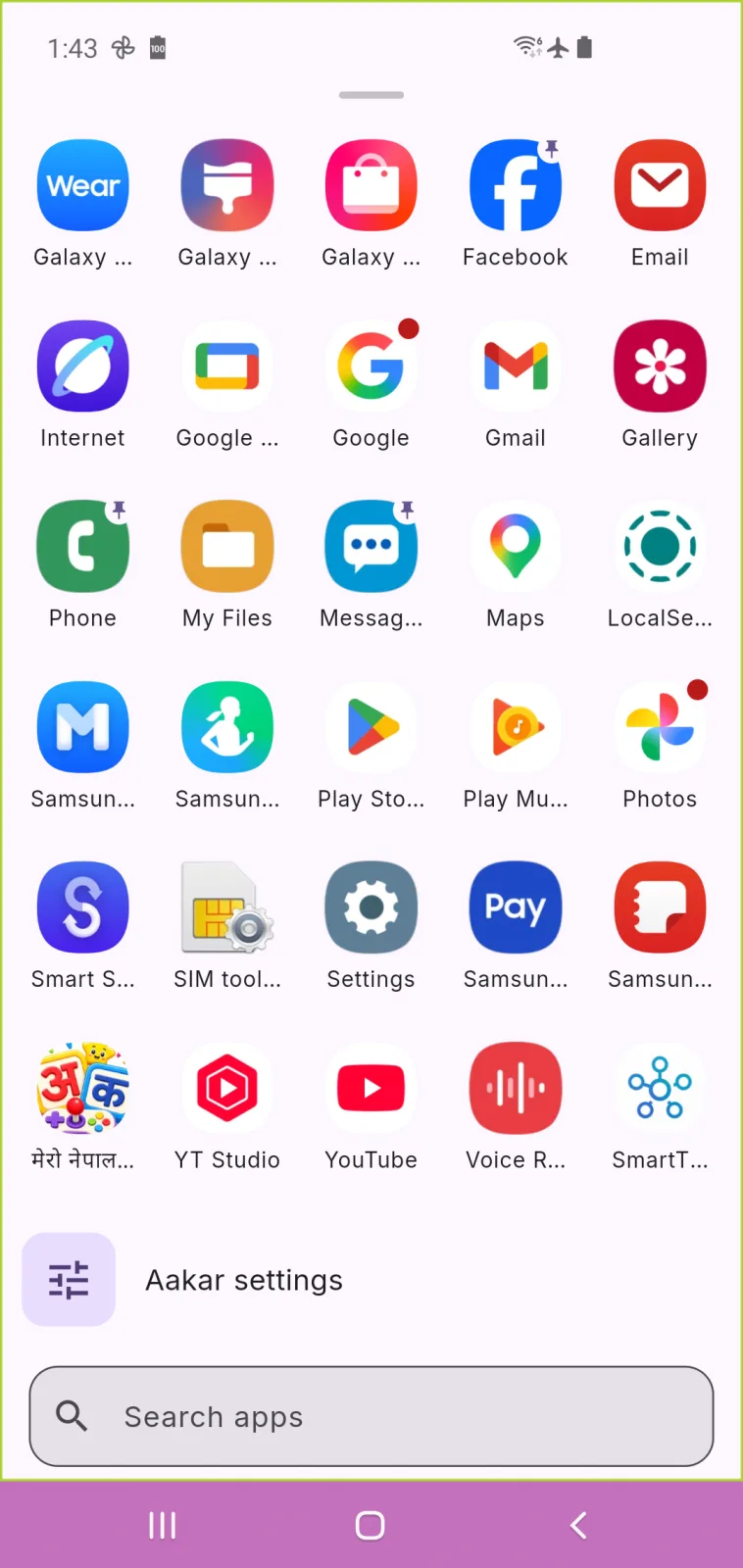
Aakar is the launcher we have since built and shipped on Google Play. Its plugin had grown to one MethodChannel with about twenty methods and two EventChannels. Flutter 3.50 made direct native interop stable, so we replaced all three with direct JNI calls generated by JNIgen. This post walks through how that works, using real code from Aakar, what we measured, and what we would do differently.
Why a launcher wanted to leave platform channels
A launcher is a thin Flutter UI over a lot of Android: the app list and icons, app shortcuts, work-profile apps, notification counts, package install events, and the calls that open an app, its info page or the wallpaper picker. Almost every tap ends in a native call.
With platform channels, every one of those calls:
- is addressed by a string:
invokeMethod('openApp', ...)on the Dart side and awhen (call.method)branch in Kotlin. A typo is a runtimeMissingPluginException, not a compile error; - passes its arguments as a map, read back on the other side with
call.argument<String>("package_name"), again by string; - is asynchronous, even when the answer is a boolean the Kotlin side already has. The message is serialised with
StandardMessageCodec, handed to the platform thread, answered, serialised again and posted back to Dart; - needs main-thread plumbing for anything that answers from a background thread:
Handler(Looper.getMainLooper()).post { result.success(apps) }, and the same for every event sink.
This is what one branch of our old handler looked like:
"openApp" -> {
    val packageName: String? = call.argument("package_name")
    val userSerial: Long? = (call.argument<Number?>("user_serial"))?.toLong()
    val activityName: String? = call.argument("activity_name")
    if (packageName.isNullOrEmpty()) {
        result.error("ERROR", "Empty or null package name", null)
        return
    }
    result.success(openApp(packageName, userSerial, activityName))
}
There was nothing wrong with this, and it worked for years. But it is about twenty of these blocks, and the matching map-building code in Dart, with nothing checking that the two sides agree.
What direct native interop is, and what is stable in 3.50
Direct native interop means Dart calls native code itself, through dart:ffi for C and Objective-C and through JNI for Java and Kotlin, instead of sending a message to a handler on the platform side. You don’t write the FFI or JNI calls by hand. A generator reads the native API and writes Dart bindings for it:
- FFIgen for C (stable for a long time) and, as of Flutter 3.50, Objective-C;
- JNIgen for Java and Kotlin, also stable as of 3.50;
- Pigeon has a new native interop mode, in preview, that uses both generators underneath and handles data conversion and native lifetimes for you on iOS, macOS and Android.
The Flutter 3.50 announcement describes it as skipping platform-channel serialisation and calling native APIs directly, “including synchronously or from background isolates”. The native interop docs cover each generator.
Aakar is Android only, and the plugin’s native side is our own Kotlin, so JNIgen was the fit.
Step by step: JNIgen in the Aakar plugin
1. Give Dart one Kotlin surface to call
JNIgen can bind any Java or Kotlin class, including Android SDK classes. We did not bind our plugin class directly. It holds state, caches and lifecycle code that Dart has no business seeing. Instead we added one small object, LauncherBridge, which is the whole Dart-facing API:
@Keep
object LauncherBridge {
    private fun plugin(): AndroidLauncherAppPlugin =
        AndroidLauncherAppPlugin.instance
            ?: throw IllegalStateException("android_launcher_app is not attached to an engine")

    @JvmStatic
    fun openApp(packageName: String, userSerial: Long, activityName: String?): Boolean =
        plugin().openApp(packageName, serial(userSerial), activityName?.ifEmpty { null })

    @JvmStatic
    fun isAppInstalled(packageName: String): Boolean = plugin().isAppInstalled(packageName)

    @JvmStatic
    fun getInstalledApps(refresh: Boolean, callback: LauncherCallback) { /* … */ }

    // … about twenty methods in all
}
A few decisions are baked into that shape:
@JvmStaticon anobject, so the bindings are plain static calls with nothing to construct.@Keep, so R8 does not rename or strip methods that only Dart calls.- No engine handle in the call. A static method has no
FlutterPluginBinding, so the plugin stores its attached instance in a companion@Volatile var instance, and the bridge throws if there is none. The plugin is still aFlutterPlugin, but only to get the application context and to be torn down with the engine. It has no channels any more. - Primitive and string parameters. The old channel used
nullfor “the current user”; we pass0Linstead, to keep the signature a primitivelong.
2. Configure and run JNIgen
The generator runs as a small Dart script, tool/jnigen.dart, with jnigen as a dev dependency and jni as a regular dependency:
dependencies:
  jni: ^1.1.2

dev_dependencies:
  jnigen: ^1.0.1
await JniGenerator(
input: Input(
// No trailing separator: on Windows a path ending in `` escapes
// the closing quote of the summarizer's command line.
classPath: [
Uri.file(classes.toFilePath().replaceFirst(RegExp(r'[\/]$'), '')),
],
classes: const [
'com.popupbits.android_launcher_app.LauncherBridge',
'com.popupbits.android_launcher_app.LauncherCallback',
'com.popupbits.android_launcher_app.LauncherEventListener',
],
),
output: Output(
dart: DartOutput(
path: packageRoot.resolve('lib/src/bindings.g.dart'),
structure: OutputStructure.singleFile,
),
),
).generate();classes points at the plugin’s compiled Kotlin classes (build/android_launcher_app/tmp/kotlin-classes/debug/). JNIgen reads Kotlin from bytecode, so the workflow is:
flutter build apk --debug      # compile the Kotlin
dart run tool/jnigen.dart      # regenerate lib/src/bindings.g.dart
We commit the generated file (1,223 lines for our three classes) and regenerate it whenever a signature in LauncherBridge.kt changes. The script exits with a clear message if the compiled classes are missing, because “build first” is the step everyone forgets.
3. Call Kotlin from Dart, synchronously
The generated binding for openApp is a static Dart method that takes JNI types:
/// from: `public fun openApp(packageName: kotlin.String, userSerial: kotlin.Long, activityName: kotlin.String?): kotlin.Boolean`
static core$_.bool openApp(
  jni$_.JString string,
  core$_.int j,
  jni$_.JString? string1,
)
It returns a bool, not a Future<bool>. The call runs on the calling Dart thread and comes back with the answer. Since Flutter merged the UI and platform threads on Android, that thread is Android’s main thread, so Kotlin code that expects the main thread, such as starting an activity, works without posting anything.
We keep the bindings private to the plugin and wrap them, so the rest of the app never sees a JString:
Future<bool> openApp(
String packageName,
int? userSerial,
String? activityName,
) async => _sync(
() => _withString(packageName, (p) {
final jActivity = activityName?.toJString();
try {
return LauncherBridge.openApp(p, userSerial ?? 0, jActivity);
} finally {
jActivity?.release();
}
}),
);The public AndroidLauncherApp.openApp still returns a Future, because we kept the plugin’s public API exactly as it was, and nothing in the app had to change. Underneath, the Kotlin call is synchronous.
4. Threading: keep slow work off the UI thread
A synchronous call blocks the Dart UI thread for as long as the Kotlin takes. That is fine for openApp. It is not fine for building the app list, which queries LauncherApps for every profile and rasterises icons.
So slow calls take a callback. Kotlin defines the interface:
@Keep
interface LauncherCallback {
    /// [payload] is the result encoded with StandardMessageCodec, or null.
    fun onResult(payload: ByteArray?)
    fun onError(code: String, message: String?)
}
Dart implements it, and JNIgen turns the Dart object into a Java object Kotlin can call:
static Future<Object?> _async(void Function(LauncherCallback) start) {
  final completer = Completer<Object?>();
  final callback = LauncherCallback.implement(
    $LauncherCallback(
      onResult: (bytes) { /* decode, complete the completer */ },
      onResult$async: true,
      onError: (code, message) { /* completeError with a PlatformException */ },
      onError$async: true,
    ),
  );
  try {
    _sync(() => start(callback));
  } catch (e, s) {
    if (!completer.isCompleted) completer.completeError(e, s);
  } finally {
    // Kotlin holds its own reference until it answers.
    callback.release();
  }
  return completer.future;
}

Future<List<Object?>?> getInstalledApps({required bool refresh}) async =>
    _list(await _async((cb) => LauncherBridge.getInstalledApps(refresh, cb)));
The important flags are onResult$async: true and onError$async: true. They make the Dart implementation a listener: when Kotlin calls onResult from its executor thread, the call returns at once and the Dart closure runs later on the isolate’s event loop. Without them, Kotlin’s background thread would block until the Dart isolate ran the callback. That is a deadlock risk if the isolate is itself waiting on that thread.
The two event streams (package installs and notification counts) work the same way, with a LauncherEventListener that Kotlin calls for each event. The Dart side installs one listener when the broadcast stream gets its first subscriber, and removes it when the last one cancels.
5. Data: one byte array, not a JNI call per field
A list of 150 apps, each a map with a label, package, activity, user serial, flags and an icon, could be passed as Java objects. But reading each field from Dart is a JNI call, so that would be thousands of crossings for one list.
We kept StandardMessageCodec. Kotlin encodes the list once and passes a single byte[]:
internal fun encode(value: Any?): ByteArray? {
    val buffer = StandardMessageCodec.INSTANCE.encodeMessage(value) ?: return null
    buffer.rewind()
    val bytes = ByteArray(buffer.remaining())
    buffer.get(bytes)
    return bytes
}
Dart copies it out once and decodes it into the same maps the model classes already parsed:
static Object? _decode(JByteArray? bytes) {
  if (bytes == null) return null;
  try {
    final data = bytes.getRange(0, bytes.length);
    return _codec.decodeMessage(ByteData.sublistView(data));
  } finally {
    bytes.release();
  }
}
This is not the purest use of JNIgen, but it meant ApplicationInfo.fromMap and the rest did not change at all.
6. Lifetime: release what you create
Every JString, JByteArray and implemented interface on the Dart side holds a JNI global reference. The jni package will release them when they are garbage collected, but a launcher makes a lot of these calls, and the GC is not in a hurry. So we release them explicitly, as soon as we are done:
static R _withString<R>(String value, R Function(JString) body) {
  final j = value.toJString();
  try {
    return body(j);
  } finally {
    j.release();
  }
}
Strings coming back use toDartString(releaseOriginal: true), which converts and releases in one step.
7. Errors
When the Kotlin side throws, the generated binding throws a JThrowable in Dart. The method channel used to report an uncaught exception as a PlatformException with the code error. Callers in the app already handled that, so we translate:
static T _sync<T>(T Function() call) {
  try {
    return call();
  } on JThrowable catch (e) {
    final message = e.message;
    e.release();
    throw PlatformException(code: 'error', message: message);
  }
}
Expected failures, such as a missing contacts permission, go through onError with their own code, the way result.error used to.
Before and after
Latency
We timed both transports against the same Kotlin code, so the only difference is how Dart reaches it:
- JNI: Aakar’s plugin as shipped.
- MethodChannel: a benchmark-only channel in the plugin’s example app, whose handler calls the same
LauncherBridgemethods. For the app list, it hands back the same encoded bytes on the main thread, as the old handler did. Dart decodes and parses them as before.
Each small call was timed 5,000 times in a row and the app list 50 times, after a warm-up, in three rounds. The build was a profile build on a mid-range phone from 2019 (Oppo CPH1989, MediaTek MT6771, Android 11). The times are wall-clock times measured in Dart with a Stopwatch around each awaited call.
| Call | Median, three rounds | p95 |
|---|---|---|
MethodChannel, empty method | 152–166 µs | 216–355 µs |
isAppInstalled over MethodChannel | 158 µs | 182–184 µs |
isAppInstalled over JNI, through the public async API | 16 µs | 17–20 µs |
isAppInstalled over JNI, binding called directly | 15 µs | 16 µs |
App list (50 apps, 212 KB) over MethodChannel | 52.9–59.1 ms | 66–78 ms |
| App list (50 apps, 212 KB) over JNI | 52.7–58.1 ms | 67–73 ms |
Two honest readings:
- Small calls are about ten times faster: 16 µs instead of about 160 µs, almost all of which was the channel round trip itself. The async wrapper adds about 1 µs.
- The app list is no faster. Those 50 ms are spent in Kotlin, querying
LauncherAppsand reading the entry cache. Decoding the 212 KB payload in Dart takes about 1–1.5 ms either way. The transport is noise next to the work.
We did not measure a change in frame times in the app, and we don’t claim one. Saving 140 µs on a tap that then starts another activity is not something a user can see. The latency win matters for code that calls native in a loop or inside a frame, and that is not most of a launcher.
Code size
Hand-written code did not shrink:
- Kotlin: 1,320 lines before; 1,321 after (1,122 in the plugin plus 199 in
LauncherBridge). - Dart: 335 lines before; 660 after, including a 98-line platform interface we added for tests and the 275-line JNI implementation.
- Generated: 1,223 lines of bindings.
- The
jnipackage adds its native library,libdartjni.so, which is 98 KB for arm64.
What got simpler
- The two sides are checked against each other. Change a Kotlin parameter’s type, regenerate, and the Dart call site stops compiling. Before, it was a string and a map.
- No main-thread posting. All the
Handler(Looper.getMainLooper()).post { … }calls aroundresult.successand the event sinks are gone. Kotlin calls the listener from whatever thread it is on. - No channel or sink lifecycle. No
setMethodCallHandler(null), nosetStreamHandler(null), and no bug where a secondreceiveBroadcastStream()silently replaced the first listener (our old code carried a comment warning about exactly that). - Quick calls are synchronous when we want them to be.
Gotchas we hit
- JNIgen reads compiled classes. Build the app before generating, every time a signature changes. Because it reads bytecode, the parameter names did not survive: the bindings take
string,jandstring1. That is one more reason to keep them behind a wrapper. - Kotlin accessors become Dart properties.
fun isNotificationListenerEnabled(): Booleanwas generated as a Dart getter, andfun setPackageEventListener(listener)as a setter, so the call isLauncherBridge.packageEventListener = l. That is sensible, but it surprised us the first time. - Windows paths. A class path ending in
\broke the generator’s command line on Windows, which is the comment in the config above. - R8. Nothing in Java calls
LauncherBridge, so a release build can strip or rename it. We use@Keepand our existing keep rule for the plugin package. - Hot restart and engine teardown. A Kotlin callback can outlive the isolate that created it. Calling it then throws, so Kotlin catches
Throwablearound every delivery and logs it. Before, a channel just dropped the reply. - Tests lose
setMockMethodCallHandler. There is no channel to mock. We added aLauncherPlatforminterface with aJniLauncherPlatformdefault, and tests install a fake withAndroidLauncherApp.platform = FakePlatform(). That is cleaner than mocking strings, but it is code you have to write. - Toolchain. The generator needs a JDK (
JAVA_HOMEpointing at Android Studio’s JBR works) in addition to the Flutter SDK.
When platform channels or Pigeon are still the better choice
- Your plugin targets more than Android. JNIgen is Android only. For a plugin that also runs on iOS, look at Pigeon. Its classic mode gives you typed channels today, and its native interop mode (in preview in 3.50) generates FFI and JNI bindings for you.
- Your calls are slow anyway. If every call does tens of milliseconds of native work, as our app list does, the transport is not your problem.
- You don’t own the native side’s signatures. A message protocol is easier to version than generated bindings that must be regenerated with every change.
- You need web or desktop. Channels work everywhere a plugin does.
For Aakar, an Android-only app whose plugin we own and whose UI makes many small native calls, the switch was worth it. The plugin is now typed from end to end and has less threading code, and quick calls take a tenth of the time they did. It did not make the app list faster, and the code did not get shorter.
Try it
Aakar is on Google Play, and has a page on the PopupBits site. The JNI bridge shipped in version 1.4.7. Aakar’s source code is not public yet, so the snippets above are taken directly from it. If you want to start from scratch, the Flutter native interop docs and the original launcher post are good places to begin.